Description
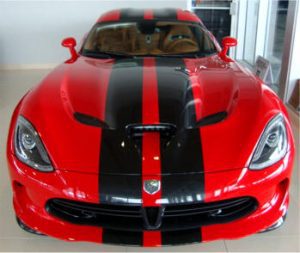
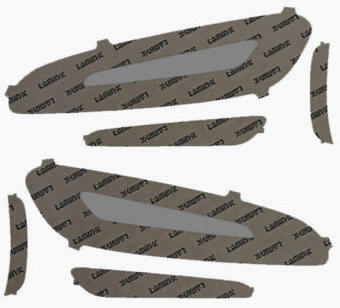
Includes driver and passenger side taillight tinted vinyl adhesive overlays. Gives your SRT Viper a race-car look and protects your lens covers against stone chips and scratches.
Self-adhesive — just peel and stick. Our taillight tint covers are designed to match the shape of your Dodge’s lights, so you’ll only need minimal trimming during installation. They can be removed without damaging your lenses.
Fits all models of Gen 5 Vipers.
Included: 2 taillight lens vinyl tints, 1 small felt squeegee
For installation, you will need: household rubbing alcohol and a soapy water mixture (one full spray bottle of water with a couple of drops of baby shampoo or mild dish detergent). You may also need a hair dryer.
Warning: It is very important to follow every step carefully to ensure professional installation of your lens guards.
- Prepare both taillight lenses by washing them with soap and water to remove dirt and grime. Dry completely, then scrub the lenses with household rubbing alcohol.
- Test your cleaning. Take a piece of masking tape and see if it adheres to both taillight lenses. If it doesn’t, continue cleaning until it does.
- As a test (without sticking it on), place your unpeeled taillight guard over your taillight to check the fit. If your taillight lens has tight curves, use an electric hair dryer to heat the vinyl until it becomes soft and flexible. Then spray the soapy water mixture directly on both the taillight lens and the vinyl guard as you peel the liner. Once both are wet, position the guard on the lens.
- Use the provided felt squeegee to work the fluid out from the center toward the edges until the guard fully adheres. If needed, use a hair dryer to soften the vinyl for easier molding around curves. Ensure there are no air bubbles under the tint.
- Repeat the entire process for the opposite side.
- Repeat the same process for the fog lights as well. Note: Once removed, these tints cannot be reinstalled as the adhesive will be compromised.